
East44 for Odoo
The apps your Odoo doesn’t have. Right inside Odoo.
Describe the app your team needs. East44 builds it on your live Odoo records and puts it on your Odoo home screen. No custom module to write for every new screen.
Odoo 17, 18 and 19. Community and Enterprise.
The gap
Odoo runs the business. The last mile still lives in spreadsheets.
Custom modules
Every new screen is a dev project
A crew board or an approval flow means a developer, a quote and a module you have to carry through every upgrade.
Workarounds
So the team makes do
Schedules on a whiteboard, job checklists on paper, numbers copied into spreadsheets that are out of date by lunch.
Side apps
Or the data leaves Odoo
A separate tool for each job means another login, another database and records that no longer match your books.
How it works
From request to an Odoo menu item in one conversation
1 · Install
Add the East44 module
One module, then Connect to East44 in Odoo settings. East44 and Odoo exchange keys themselves; nothing is copied by hand.
2 · Describe
Say what you need
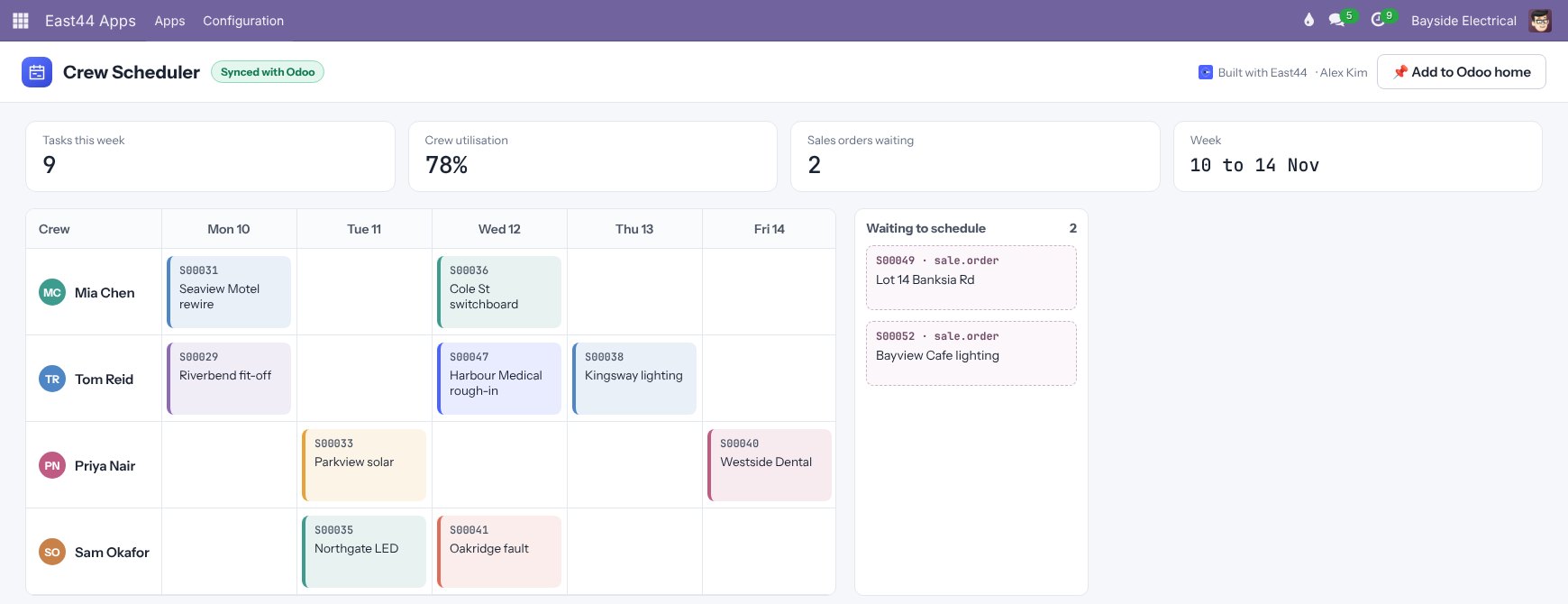
“A weekly crew board from Project tasks and confirmed sales orders.” The builder reads your Odoo models and proposes the app.
3 · Check
Try it on your data
Preview the app against your real records, refine it in plain English, then publish. Every version is kept and can be rolled back.
4 · Pin
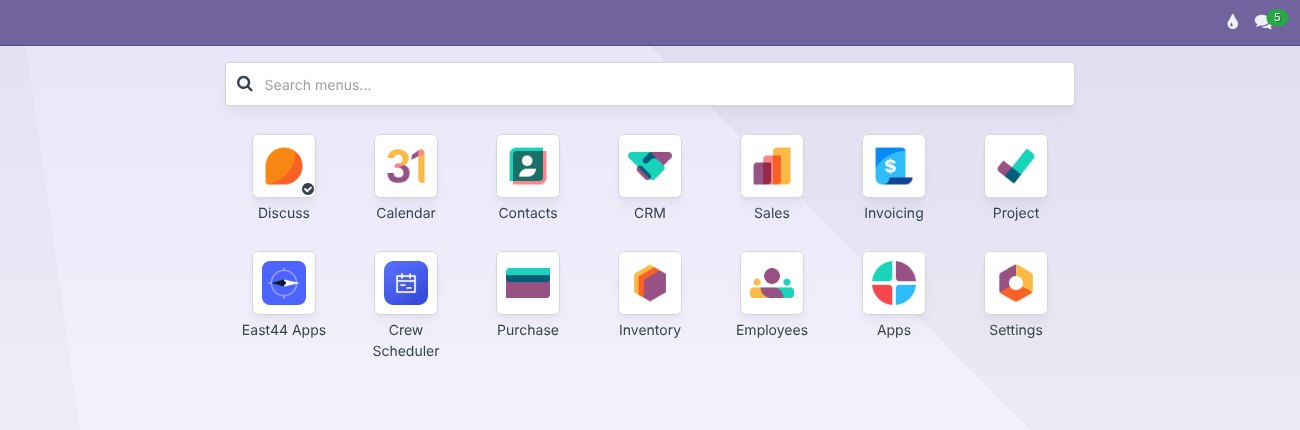
Put it on the Odoo home screen
Give it a tile, an icon and the Odoo groups who should see it. It opens inside Odoo like any other app.
See it in Odoo
It looks like part of Odoo, because it is
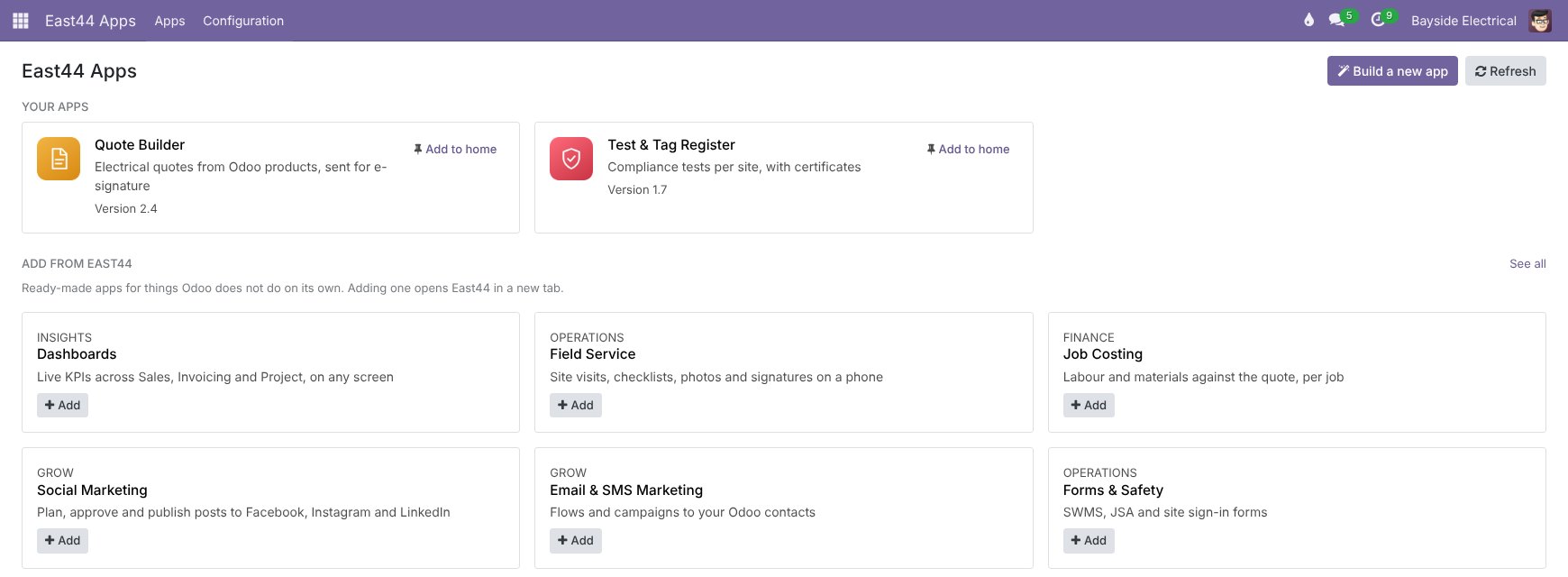
Real Odoo 17 screens with the East44 module installed. Sample business and data.
Built for Odoo
Your records stay in Odoo. Your rules still apply.
Live Odoo data
Apps read and write the same partners, sales orders, tasks and invoices your team already uses. No copy, no sync job to babysit.
You choose what it can touch
The module only exposes the Odoo models and fields you allow. Odoo changes reach East44 through signed webhooks.
Odoo users and groups
Your team links their East44 account once, then apps open inside Odoo as them. Each tile shows only to the Odoo groups you pick.
Upgrade-safe
Apps live in East44, not in your Odoo code, so a new app never means a new module. The one East44 module is packaged for Odoo 17, 18 and 19.
Apps that work with Odoo
Start from an app that already knows Odoo
Each one is yours to change by chat. Screens show Bayside Group, a sample business.
CRM
Available nowEvery lead, deal and conversation in one place.
Proposals
Available nowProposals your clients actually open, and you can see it.
Sales
Available nowQuote to cash, without the spreadsheet.
Jobs & Projects
Available nowEvery job, from won to invoiced.
People & HR
Available nowYour team, their leave, licences and skills.
Dashboards
Available nowYour business at a glance, for every role.
Questions
Odoo questions we get asked
Which Odoo versions and editions does it work with?
Odoo 17, 18 and 19, Community and Enterprise. On Community, the Odoo home-screen grid comes from the free OCA web_responsive add-on; without it, East44 apps appear in Odoo’s apps menu.
We’re on Odoo Online. Can we still use East44?
Yes. East44 connects to Odoo Online with an Odoo API key, and your apps run on the web and on the East44 mobile app. Showing apps inside Odoo’s own menus needs the East44 module, which means Odoo.sh or a self-hosted Odoo.
Does it change our Odoo database?
Only through the records your apps create or update, the same way a user would, and only on the models and fields you allow. The module adds its own settings and menus; it doesn’t change Odoo’s standard apps.
Who builds the apps?
Anyone you give builder access can describe an app and refine it by chat. Eastec’s ERP team sets up the connection with you and can build the first app alongside your team.
What about AI costs?
You bring your own AI key and your AI provider bills you directly, so you see exactly what the AI is costing.
Talk to us
Tell us what your Odoo can’t do yet.
Eastec’s ERP team will look at your Odoo setup with you and show how the first app would work on your own data.